

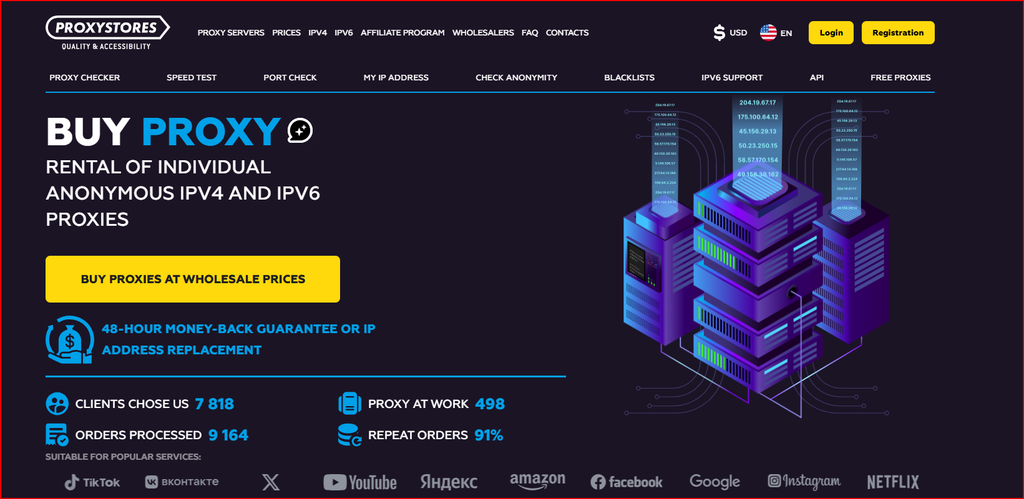
In this second review, I tested ProxyStores for social media and e-commerce workflows with an emphasis on stable location testing, marketplace research, regional storefront checks, ad verification and legitimate profile separation. I compared shared IPv4 with individual IPv4, reviewed IPv6 and MTProto pricing, checked HTTP/SOCKS5 support, manual IP and city selection, instant activation and the 48-hour replacement/refund policy.
What I Tested
I tested the service around three realistic business tasks: checking how an e-commerce site looks from another region, keeping separate browser workspaces for different client or storefront QA projects, and collecting public pricing or availability data at a controlled rate. I did not use the proxies to create deceptive identities, evade platform enforcement or violate marketplace rules. The network layer should support a compliant workflow, not replace policy compliance.
On the product side, I compared shared and individual IPv4, looked at the IPv6/32 option, reviewed manual IP, subnet and city selection, and checked the published HTTP/SOCKS5 delivery. ProxyStores says individual proxies can reach up to 100 Mbps and that traffic is unlimited; I treat those as provider specifications rather than independent benchmark results.
I also reviewed the operational controls: instant activation, the ability to add or remove IPs during renewal, auto-renewal, IP binding and the 48-hour refund or replacement policy. For recurring regional checks, those controls matter because the cost of an unstable endpoint is usually more than the proxy fee itself.
Dedicated vs Shared: My Practical Choice
Individual IPv4 is the product I would choose for a storefront QA session, an authenticated business tool or any workflow where the same IP needs to remain associated with the same workspace. ProxyStores states that individual addresses are issued to one customer during the rental period, which gives me more predictable ownership than a shared address.
Shared IPv4 is intentionally cheaper and the FAQ says it can be used by three clients at the same time. That can be perfectly reasonable for public market research, general browsing or low-risk monitoring. I would not use a shared IP where a reputation problem could lock a business-critical session or distort a sensitive regional test.
The price difference is small enough that I prefer to begin with individual IPv4 for anything connected to a client deliverable. If the workflow proves tolerant of shared reputation, I can move less sensitive tasks to the cheaper pool later.
Pricing and Budget Planning
The public prices make it easy to model cost per workspace. Short five-day rentals are useful for campaigns, launches and temporary QA. Longer terms are better when a regional environment needs to remain stable for months. The following September 2026 snapshot uses the provider’s public pricing and should be checked again before purchase.
Before checkout, I would confirm the current numbers on the ProxyStores pricing.
| Proxy Type | 5 Days | 30 Days | 90 Days | 360 Days | Best Fit |
|---|---|---|---|---|---|
| Shared IPv4 | $0.67/IP | $0.99/IP | $2.97/IP | $11.88/IP | Low-cost research |
| Individual IPv4 (1-20) | $0.96/IP | $1.77/IP | $5.31/IP | $21.24/IP | Stable regional sessions |
| Individual IPv4 (90-1000) | $0.83/IP | $1.50/IP | $4.50/IP | $18.00/IP | Larger teams/pools |
| IPv6/32 | from $0.09-$0.10 | from $0.48-$0.51 | from $1.44-$1.53 | from $5.76-$6.12 | Compatible targets only |
Pricing snapshot checked in September 2026. Provider prices, discounts, locations and terms may change.
My Social Media Testing Workflow
For social media work, I separate “multiple profiles” from “multiple accounts.” A business may legitimately manage several brand pages, client workspaces or test environments, but each platform has its own account and automation rules. I use the proxy only to keep approved workspaces organized and regionally consistent, not to bypass those rules.
I assign one individual IPv4 to one browser workspace when stability matters. Then I confirm the exit IP, country and city, log the proxy details, and open the exact platform in that profile. I check login behavior, language, content localization and connection consistency across multiple sessions. If the platform offers official team roles or agency access, I use those features rather than sharing personal credentials.
For content QA, I prefer to keep the IP static while changing only the content or campaign variable. That creates a cleaner test. If the IP changes at the same time as the browser profile, I cannot tell which variable caused a different result.
My E-Commerce Testing Workflow
In e-commerce, the legitimate use cases are broad: regional price checks, shipping availability, localization QA, coupon-display testing, affiliate landing-page verification and monitoring public competitor pages. I start with a clean browser profile, assign a known proxy location, and record the observed currency, catalog, delivery options and page behavior.
I do not assume that a city label guarantees the same geolocation in every database. I verify with more than one IP lookup service and then confirm with the actual store behavior. If the store detects the intended region correctly, I keep the same address for the test series so results are comparable.
For automated public-data monitoring, I add caching and reasonable rate limits. Unlimited proxy traffic does not mean unlimited permission to send requests to a retailer. The target’s terms and technical limits still govern the workflow.
HTTP vs SOCKS5
ProxyStores automatically provides HTTP/SOCKS5 formats, which is convenient because browser profile tools and research scripts vary in what they accept. For browser-based work, HTTP is often the simplest. SOCKS5 is useful when the application needs a more general transport proxy.
I choose one protocol and keep it consistent during a test. If I switch from HTTP to SOCKS5, I rerun the same validation steps rather than assuming identical behavior.
IPv6 and MTProto
IPv6 is much cheaper than IPv4, but I would not treat it as a universal substitute. Some destinations still have incomplete IPv6 support or different reputation logic. It is a good cost-saving option only after a target test proves it works.
MTProto is a specialized Telegram proxy option. I would use it only for the intended Telegram networking use case, not as a general replacement for HTTP or SOCKS5.
What I Liked
I liked the simple pricing, five-day entry term, instant activation, individual IPv4 option, automatic HTTP/SOCKS5 formatting, manual location controls and 48-hour replacement/refund positioning. Those features make the service easy to test in a small business workflow.
I also like the ability to start with a tiny order and receive volume discounts later. It supports a test-first approach instead of forcing a large commitment.
What I Would Improve
I would add more current tutorials for agency teams and e-commerce QA. The product itself is straightforward, but examples that distinguish legitimate profile separation from policy-violating automation would help buyers use the service more responsibly.
I would also publish a clearer table comparing shared and individual proxy reputation risk, not just price, because the operational difference matters more than a few cents per IP.
FAQ
Is ProxyStores good for social media management? It can provide stable proxy endpoints for legitimate brand, client and QA workspaces, but platform rules still apply.
Is an individual proxy better for e-commerce testing? Usually yes when you want a stable location and predictable ownership during a test series.
Does ProxyStores support SOCKS5? Yes. The provider states that HTTP and SOCKS5 formats are issued automatically.
Can I use IPv6? Yes, but I would first confirm the destination supports IPv6 reliably.
What is the refund window? ProxyStores advertises a 48-hour refund or IP replacement guarantee, subject to its service terms.
Conclusion
My final take is that ProxyStores fits business teams that need simple static proxies for controlled regional testing, market research and separate browser workspaces without paying enterprise proxy-network prices. I would choose individual IPv4 for any client-facing or authenticated workflow, shared IPv4 for lower-risk public research, and IPv6 only after a compatibility test. With clear documentation and platform-compliant use, the ProxyStores dedicated proxy setup is the version I would use as a starting point, then I would validate the exact target workload before expanding.
