

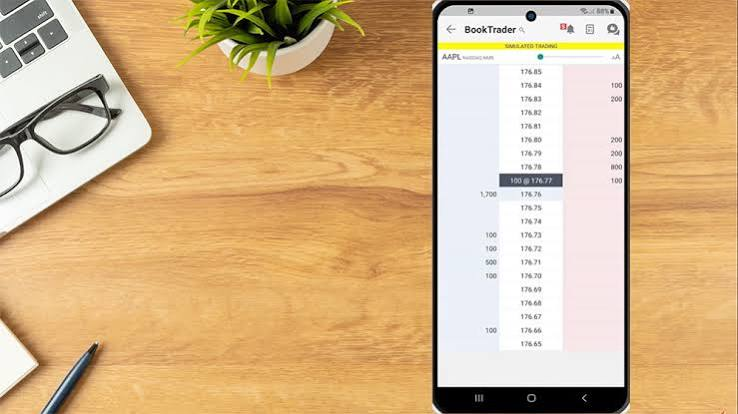
For a growing number of retail traders, the first chart they look at each morning is on a phone screen, often before they are out of bed. Brokers have noticed. Across the online trading industry, firms are redesigning their products around the assumption that many customers will open, fund, monitor and close positions without ever touching a desktop computer.
The shift has been building for years, but it has accelerated as phones have become more powerful and data connections more reliable. Industry analysts often note that for younger traders in particular, a mobile trading app is not a companion to a desktop platform but the main way they interact with markets. That has forced brokers to rethink everything from charting tools to how risk warnings are displayed on a small screen.
The change brings real benefits, including convenience, speed and lower barriers to entry. It also raises concerns among regulators and seasoned traders, who worry that making leveraged trading feel as casual as scrolling a social feed can encourage impulsive decisions.
From simple viewers to full platforms
Early broker apps were limited. They showed prices, open positions and perhaps a basic line chart, and many traders used them only to check on trades placed elsewhere. Today’s apps are far more capable. Multiple chart types, dozens of technical indicators, drawing tools, price alerts, economic calendars and one-tap order tickets are now common features.
The widely used MetaTrader 4 and MetaTrader 5 platforms both have mobile versions, which lets traders keep the same account and much of the same toolkit across devices. Many brokers have also built proprietary apps designed from the ground up for touchscreens, with simpler navigation and features such as in-app deposits, identity verification and customer support chat.
- Account opening and document upload directly from the phone camera.
- Push notifications for price levels, margin warnings and filled orders.
- Integrated news and economic calendars alongside charts.
- Biometric login using fingerprint or face recognition.
The design problem of a small screen
Designers working on trading apps describe a constant tension. A phone screen has limited space, yet traders need a lot of information to make sensible decisions: the current spread, margin requirements, the size of a position in real money terms, stop-loss and take-profit levels, and the potential loss if the market moves against them. Squeezing all of that into a few taps without hiding the important parts is difficult.
Critics argue that some apps have leaned too far toward simplicity. When a trade can be opened with a single swipe, it is easy to forget that a leveraged position of a few hundred dollars in margin may control a much larger exposure. Several regulators have raised concerns about “gamification”, meaning design features borrowed from games, such as celebratory animations, streaks or leaderboards, that may nudge users toward trading more often than is wise.
In response, the better-designed apps tend to show estimated margin and position value before an order is confirmed, display risk warnings clearly, and make it as easy to set a stop-loss as it is to open the trade. Traders comparing apps increasingly look at these details rather than at visual polish alone.
Reliability under pressure
The real test of any trading app comes during volatile moments. When a central bank surprises markets or a major economic report lands far from expectations, prices can move sharply within seconds. An app that freezes, shows stale prices or fails to send an order at that moment can turn a manageable loss into a serious one.
Experienced mobile traders tend to build habits around this risk. They place protective orders on the server side rather than relying on watching the screen. They avoid opening new positions on unstable connections, such as crowded public Wi-Fi. And many keep a second way of reaching their account, such as a web platform, in case the app has a problem.
Brokers broaden their mobile offerings
Most brokers now offer several routes into the same account. A typical set-up includes desktop versions of MetaTrader, a browser-based WebTrader for people who do not want to install software, and a mobile app. The idea is that a trader can research on a large screen and manage trades on the move without switching providers.
Ultima Markets follows this approach, providing CFD trading on forex, metals and other markets through MetaTrader 4, MetaTrader 5, WebTrader and its own Ultima Markets App. For EU clients, its affiliated entity Ultima Markets Cyprus Ltd is regulated by the Cyprus Securities and Exchange Commission. Traders looking at any app, including the one from Ultima Markets, are advised to check which legal entity they would be dealing with and confirm its licence on the regulator’s own register.
Costs that are easy to miss on a phone
Another concern raised by experienced traders is that costs can be harder to see on a mobile screen. The spread is usually shown on the order ticket, but overnight financing charges, commissions on certain account types and currency conversion fees may sit several menus away. Over weeks of holding leveraged positions, those charges can matter as much as the spread itself. Traders who rely mainly on a phone are often advised to read the broker’s full cost documents on a larger screen at least once, and to check the account history regularly so that fees do not go unnoticed.
Security moves up the agenda
As more money flows through phones, security has become a bigger concern. Fake trading apps that imitate real brokers have appeared on app stores and, more often, are distributed through links in messaging apps and social media. Victims may see what looks like a functioning account showing profits, only to find that withdrawals never arrive.
Security specialists recommend a few basic precautions:
- Download apps only from official app stores, using the link on the broker’s verified website.
- Check that the developer name in the store matches the regulated firm.
- Turn on two-factor authentication and biometric login where offered.
- Be suspicious of anyone who contacts you offering to manage trades through an app.
- Keep the phone’s operating system and the app itself up to date.
What the shift means for traders
The convenience of mobile trading is real. Being able to close a position from a train platform or adjust a stop-loss during a lunch break gives traders more control than they had when trading meant sitting at a desk. For people with full-time jobs, that flexibility is a big part of the appeal.
The risks are just as real, though. Leveraged products such as CFDs and forex can produce rapid losses, and most retail accounts lose money. A phone in the pocket means the market is always within reach, which can make it harder to step away after a losing trade or to resist acting on every price movement. Trading coaches commonly suggest setting rules in advance, such as a maximum number of trades per day or a daily loss limit, and sticking to them regardless of how easy the app makes it to keep going.
Industry watchers expect mobile apps to keep gaining features, with more integrated research, better charting and smoother account management. The firms that earn long-term trust are likely to be those that pair that convenience with clear information about costs and risk, rather than those that simply make trading feel effortless.
Risk warning: Trading CFDs and forex on any device involves leverage and a high risk of losing money quickly; most retail traders lose money. Nothing in this article is financial advice or a recommendation to trade, and readers should make sure they understand the risks and the regulation of any provider before opening an account.
