

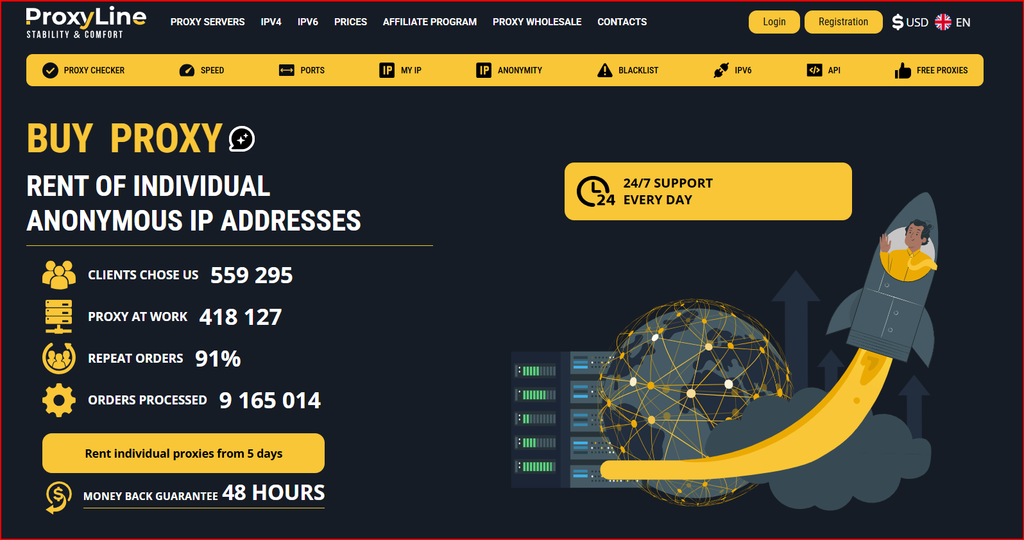
For this second hands-on review, I focused on ProxyLine for multi-account management rather than treating it as a generic proxy service. My test centered on the workflow that matters when several legitimate browser profiles, regional QA sessions, client workspaces, or research identities need stable network separation. I reviewed the individual and shared IPv4 options, IPv6 pricing, HTTP/SOCKS5 delivery, location controls, API features, renewal behavior, and the practical steps I would use before scaling from a few profiles to a larger setup.
What I Tested
I tested the product from the perspective of profile isolation and repeatability. That means I was less interested in a one-time anonymous browsing session and more interested in whether an IP can be assigned to a specific browser profile, recorded in a profile sheet, reused consistently, and replaced without disrupting the rest of the workflow. The public ordering flow gives enough detail to compare shared IPv4, individual IPv4, IPv6, rental term, country, city and subnet options before committing.
I also checked how the service fits software that accepts HTTP or SOCKS5. ProxyLine says the system issues both formats automatically, which is useful because browser profile tools, QA utilities and automation stacks do not all use the same proxy field format. I did not invent account-survival rates or claim that a proxy can bypass platform rules. The purpose of this test is legitimate profile separation, regional testing and operational organization, not evading enforcement.
Finally, I reviewed the scaling controls: automated activation after payment, the ability to add or remove IPs during renewal, auto-renewal, manual IP and subnet selection, city selection, IP binding, 24/7 support and a multifunctional API. Those are the features that determine whether a service remains manageable once a project grows beyond a few addresses.
Why Static Individual IPv4 Is My Starting Point
For multi-profile work, individual IPv4 is the product I would test first. A dedicated address is easier to map to one profile, one client workspace or one regional test environment. When the same profile repeatedly appears from the same general network location, troubleshooting is simpler because I can isolate changes in the browser, account, cookies or target site without wondering whether a rotating or shared network changed underneath me.
Shared IPv4 can still be useful when the task is low-risk and cost is the main constraint. ProxyLine says shared IPv4 can be used by up to three people, so I would reserve it for browsing, public-data research or general location checks rather than a workflow where IP reputation needs to be as predictable as possible. The monthly price is low, but the operational trade-off is less control over the address history.
IPv6 is dramatically cheaper, yet I would not make it the default simply because of price. The first question is compatibility. A target site, browser, application or authentication flow may still behave differently over IPv6. I would run a small compatibility test before assigning IPv6 to a large number of profiles.
Pricing: What the Numbers Mean for a Profile Fleet
Pricing is one of the reasons ProxyLine is interesting for structured profile work. Short five-day rentals let me test a country or subnet without paying for a full month, while longer terms reduce the effective monthly cost when the same profile needs a stable endpoint for a long campaign. The table below is a September 2026 snapshot of the public price list and should be rechecked before purchase.
I would verify the live price list on the ProxyLine pricing page before scaling a large order.
| Proxy Type | 5 Days | 30 Days | 90 Days | 360 Days | Notes |
|---|---|---|---|---|---|
| Shared IPv4 | $0.67/IP | $0.99/IP | $2.97/IP | $11.88/IP | Up to 3 users may share an IP |
| Individual IPv4 (1-20) | $0.96/IP | $1.77/IP | $5.31/IP | $21.24/IP | Issued to one customer |
| Individual IPv4 (90-1000) | $0.83/IP | $1.50/IP | $4.50/IP | $18.00/IP | Volume discount |
| IPv6/32 (1-99) | $0.10/IP | $0.51/IP | $1.53/IP | $6.12/IP | Use only where IPv6 is supported |
Pricing snapshot checked in September 2026. Provider prices, discounts, locations and terms may change.
My Setup Workflow for Browser Profiles
My preferred workflow begins with a spreadsheet or profile manager that records profile name, purpose, proxy type, IP, port, username, country, city, start date and renewal date. I assign only one intended role to each profile. The proxy is then entered into the browser profile using either HTTP or SOCKS5, followed by a simple IP and DNS verification. This basic documentation prevents the common problem of losing track of which endpoint belongs to which session.
Next, I open the exact websites the profile will use and repeat the same actions over several sessions. I am looking for connection failures, unexpected geolocation, repeated authentication challenges, inconsistent content localization and any sign that the endpoint is not behaving as expected. If a proxy fails a legitimate target during the provider replacement window, I document the failure immediately rather than waiting until the rental period is nearly over.
For larger teams, I would separate proxy inventory management from browser profile management. One person or service can own procurement and renewal, while profile users only receive the connection details they need. ProxyLine’s API can become useful here because inventory can be pulled into an internal dashboard instead of copied by hand.
Location and Subnet Control
A country label is not always enough for localization work. ProxyLine advertises manual IP selection, subnet selection and city selection, which gives me more control when a client needs checks from a specific market. I would still verify geolocation using more than one IP database because different databases can disagree, but having a city or subnet choice at purchase time is a better starting point than receiving a completely random address.
Subnet diversity also matters when I am building a set of independent QA environments. I would avoid placing every profile on addresses from the same small subnet if the project benefits from network diversity. The provider says it has thousands of networks and subnets, which is relevant when a larger order needs to be distributed more broadly.
SOCKS5 vs HTTP in My Test
For ordinary browser traffic, HTTP proxy support is straightforward and widely accepted. SOCKS5 is more flexible because it can carry a wider range of application traffic without interpreting the application protocol. If a browser profile manager supports both, I usually start with the format the tool documents most clearly and only switch if the workflow requires it.
The important point is consistency. I do not change protocol, IP and browser identity at the same time when troubleshooting. I change one variable, retest, and keep notes. That simple method makes it easier to determine whether a problem belongs to the proxy, the browser configuration or the destination.
Where ProxyLine Fits Best
The strongest fit is legitimate multi-account or multi-profile work where each profile needs a stable network identity: agency client workspaces, regional content QA, localization testing, search-result observation, ad verification, marketplace research, software testing and separate team environments. It is also useful for developers who need static endpoints for allowlists or repeatable test sessions.
It is less suitable when the project specifically requires residential or mobile IP characteristics. ProxyLine is a static proxy service, so I would not treat it as a substitute for a large rotating residential network. The right decision depends on what the target actually requires.
What I Liked
I liked the short rental option, individual IPv4 pricing, simultaneous HTTP/SOCKS5 delivery, manual city and subnet selection, automated activation, auto-renewal and API access. Together these features make it possible to build a disciplined proxy inventory instead of managing addresses as an unstructured list.
I also like that scaling does not require changing product families. A small buyer can start with one IP, while a larger order receives lower unit pricing. That makes it easier to test first and expand only after the real target workflow is stable.
What I Would Improve
I would add a clearer onboarding path specifically for browser-profile users. The site lists many technical features, but a short decision tree such as “individual IPv4 for stable profiles, shared IPv4 for budget research, IPv6 for compatible targets” would help new users avoid buying the wrong product.
I would also publish more standardized examples showing how to connect the same proxy to common profile-management tools. The raw connection formats are already simple, but screenshots for popular workflows would reduce setup errors.
FAQ
Is ProxyLine suitable for multi-account management? It can provide the network-isolation layer for legitimate multi-profile workflows. Whether a platform permits multiple accounts is a separate question, so the account policy of the target service still needs to be followed.
Should I use shared or individual IPv4? I would use individual IPv4 when stability and predictable ownership matter. Shared IPv4 is better for low-risk, price-sensitive browsing or research.
Can I use SOCKS5? Yes. ProxyLine states that proxies are issued in HTTP and SOCKS5 formats.
Is IPv6 a good choice? It is inexpensive, but I would use it only after confirming that the destination and software fully support IPv6.
How many proxies should I buy first? I would start with a small batch, test the exact workflow during the short rental period, then scale only after the results are consistent.
Conclusion
My final take is that ProxyLine is most useful when I need static, low-cost, well-documented endpoints that can be assigned to specific browser profiles or regional workspaces. The service gives enough control over IP type, country, city, subnet, protocol and rental term to build a repeatable setup without paying for a large rotating network. I would begin with a small individual IPv4 order, validate the real target workflow, document every profile-to-IP assignment, and expand gradually. For teams that follow that process, the ProxyLine multi-account proxy setup is the version I would use as a starting point, then I would validate the exact target workload before expanding.
